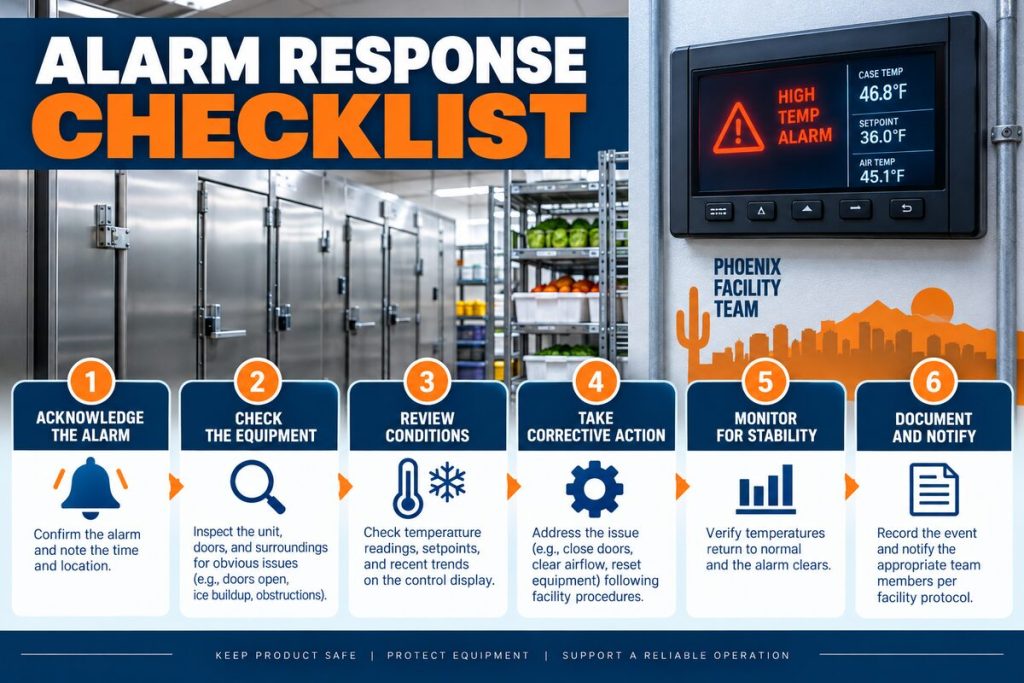
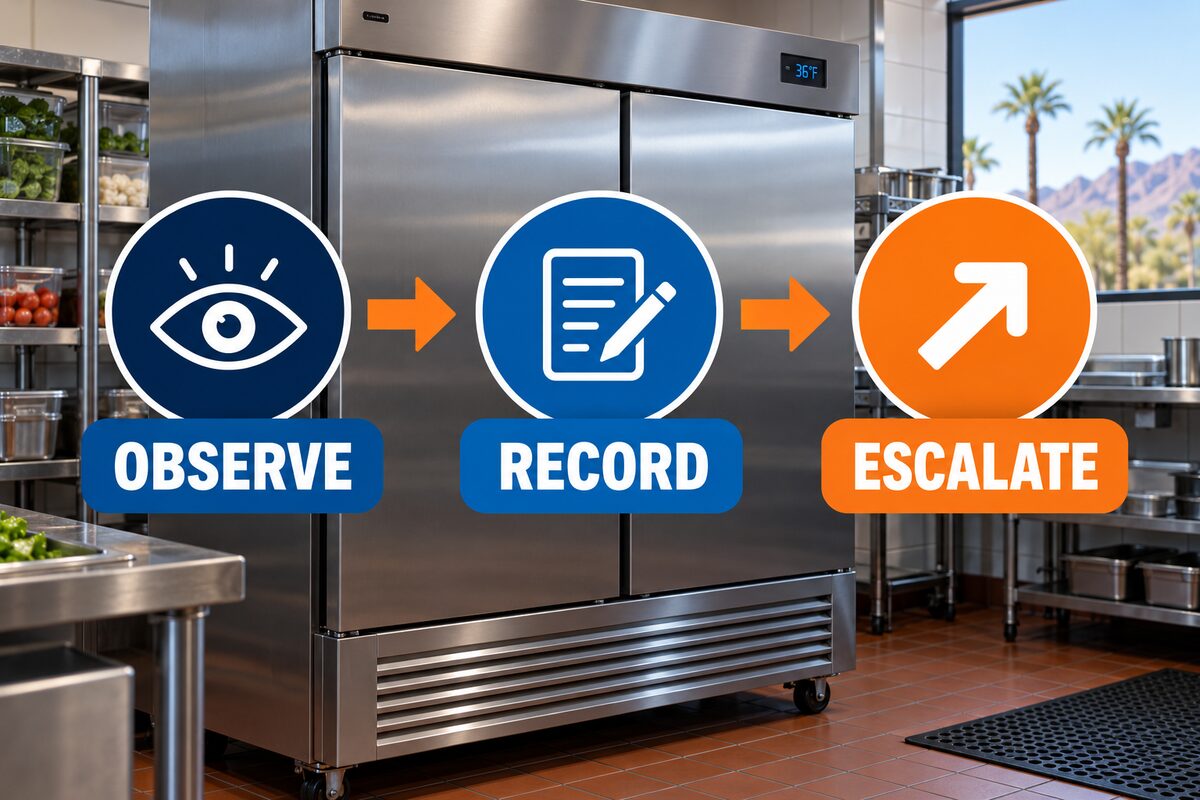
A commercial refrigeration troubleshooting flowchart should help staff organize observations without encouraging unsafe repairs. The first priorities are product protection, facility safety, and a clear record of what changed. From there, staff can confirm equipment status, compare temperature patterns, note airflow and door conditions, document frost, water, noise, or alarms, and decide when professional diagnostics are required.
Start With the Safety Gate
Follow the facility food-safety plan before investigating equipment. If product condition is uncertain, move or isolate inventory only according to approved procedures and notify the responsible manager. Keep people away from water near electrical equipment, burning odors, exposed conductors, damaged guards, or unstable rooftop and mechanical areas.
Do not open electrical panels, bypass controls, remove fan guards, chip ice, add refrigerant, or use improvised heat. A flowchart is an observation tool—not permission to work beyond staff training or the equipment manufacturer’s instructions.
Step 1: Confirm Equipment Status
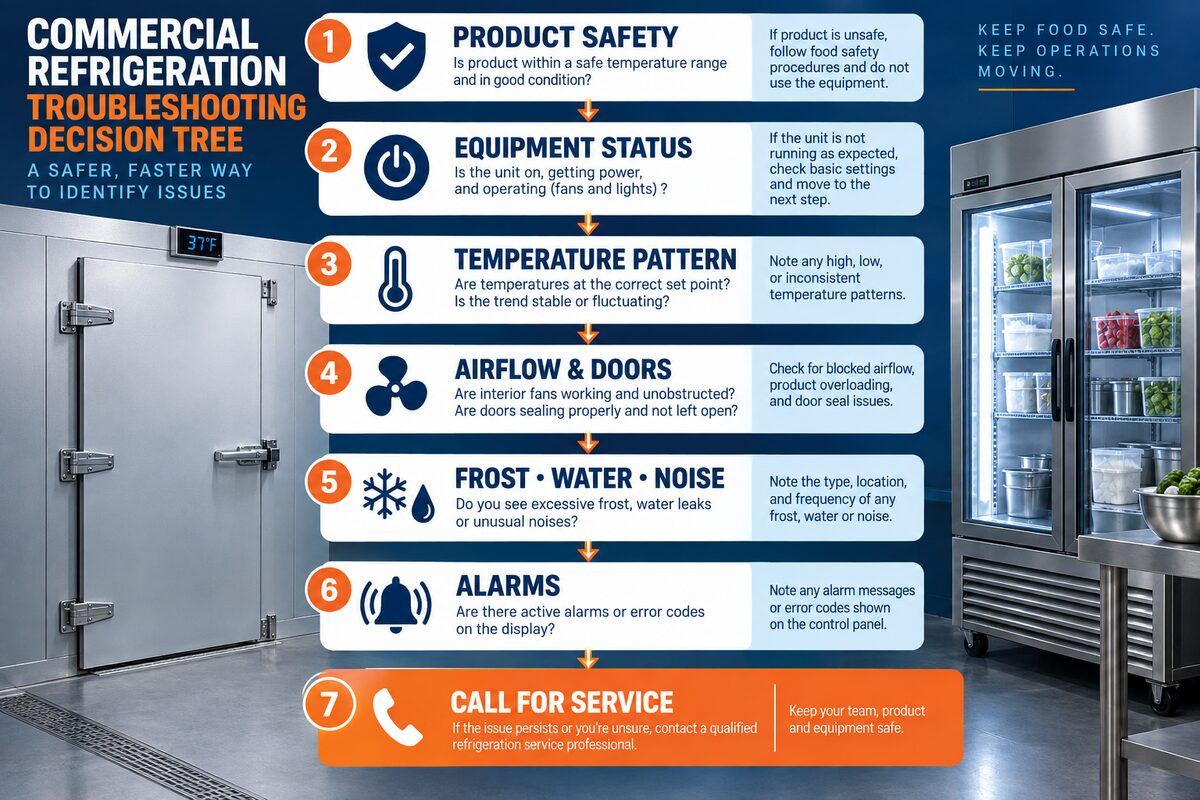
Identify the exact asset and location. Record the equipment ID, display status, alarm code, indicator lights, and whether the unit appears to be operating. If the equipment is off, staff may confirm only approved external controls and site procedures. Do not reset breakers repeatedly or reach into disconnects.
Note power interruptions, cleaning, deliveries, construction, or control changes that occurred before the symptom. This timeline helps a technician distinguish an isolated event from a recurring condition.
Step 2: Describe the Temperature Pattern
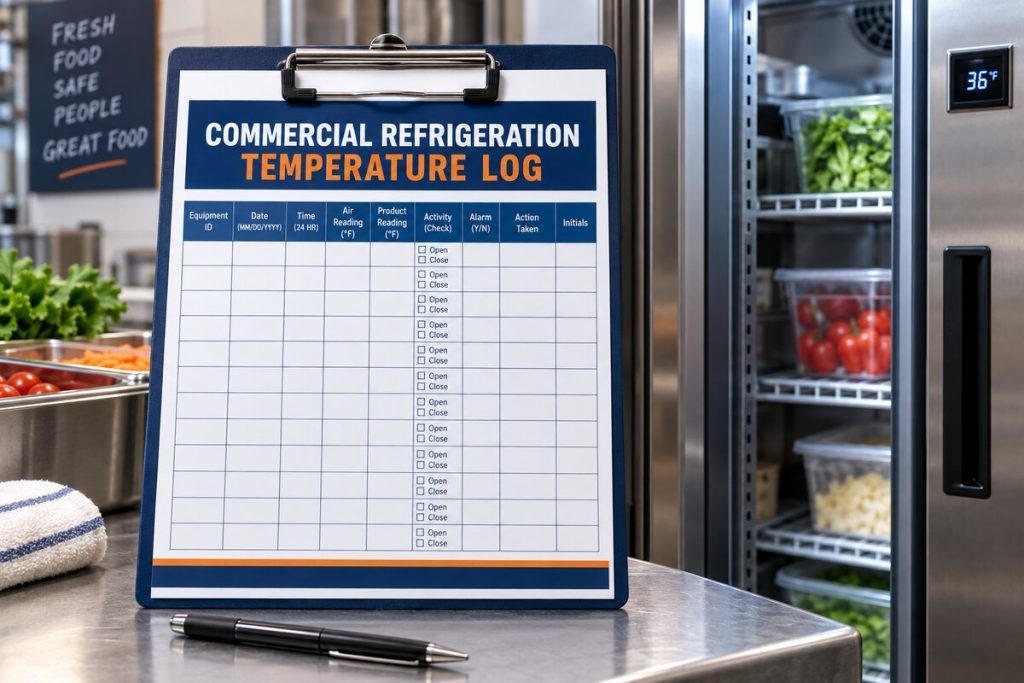
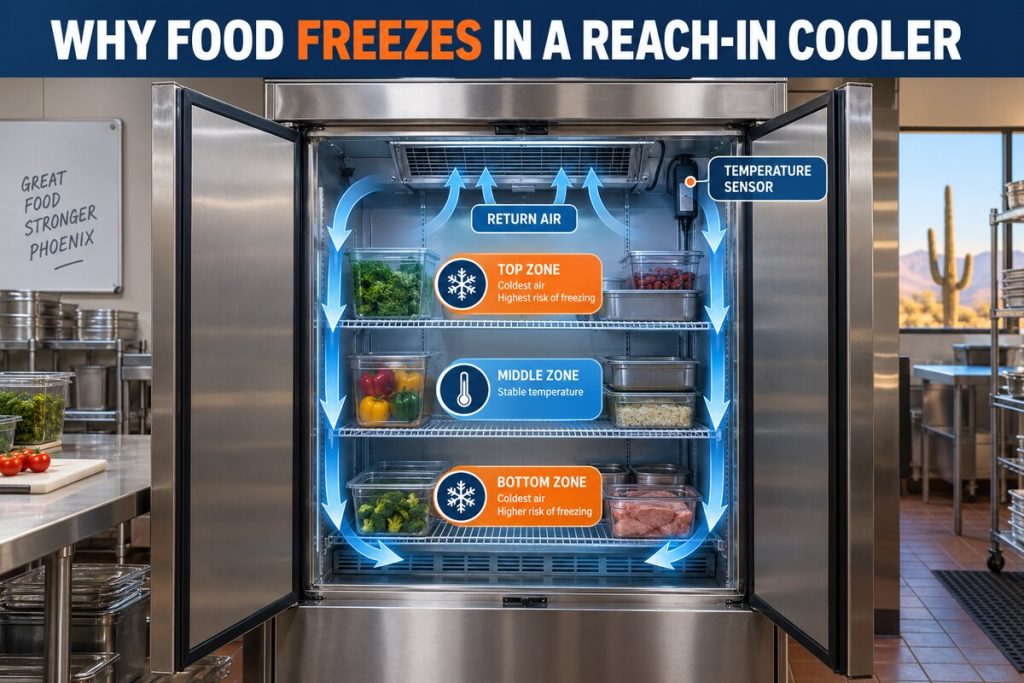
Separate a single unusual reading from a repeated trend. Record the display value, approved independent reading, reading type, time, measurement point, product location, door activity, and recent loading. A warm top shelf, one cold corner, and cabinet-wide temperature drift are different patterns even though staff may describe all three as “not cooling.”
Step 3: Observe Airflow Without Removing Covers
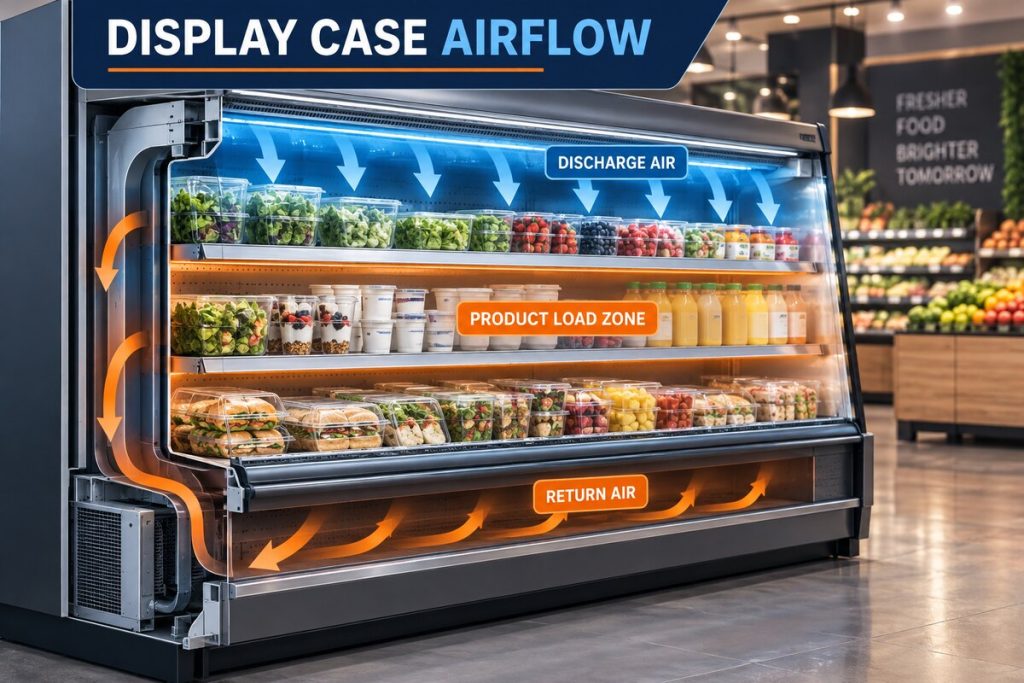
Check visible discharge and return-air openings, product load lines, shelving, packaging, and clearances. Note weak, uneven, or changed airflow from a safe position. Do not reach through guards or spin fans manually.
Photograph safe, visible obstructions and document whether the pattern follows restocking or a layout change. Correct only obvious merchandising or housekeeping issues permitted by the facility procedure.
Step 4: Check Doors and Operating Activity
Record door traffic, closure, gasket condition, hinges, latches, and anything preventing a complete seal. For open display cases, note products or signs that enter the air curtain. For walk-ins and reach-ins, note deliveries, warm product loading, cleaning, and how long the condition continues afterward.
Step 5: Document Frost, Water, Noise, and Odor
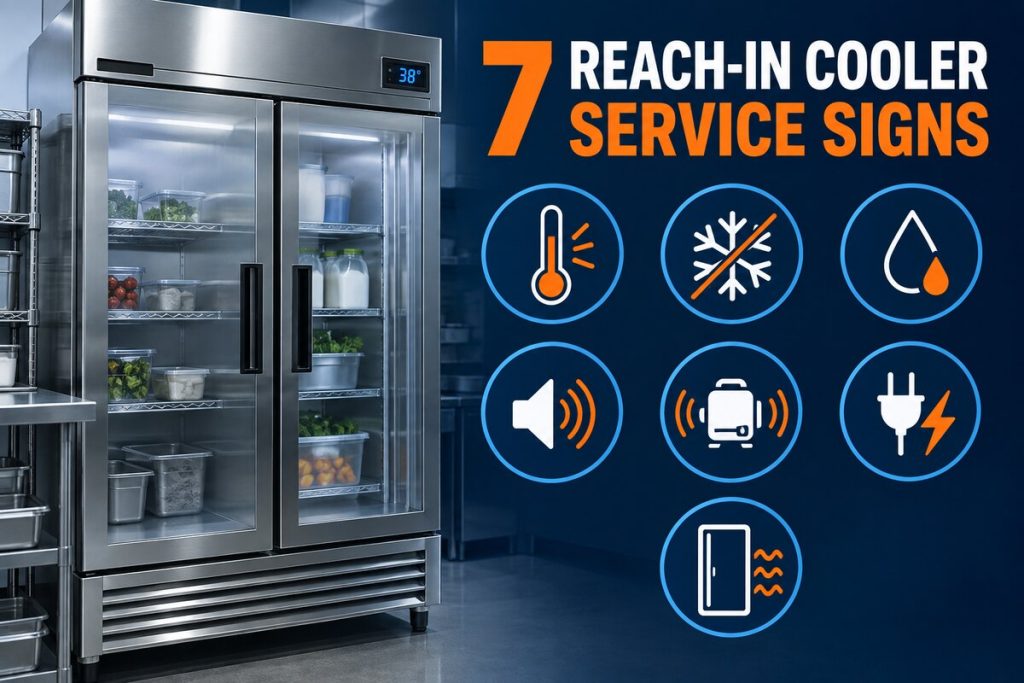
Describe exactly where frost, condensation, water, vibration, or noise appears. Note whether the condition is continuous or tied to a repeating cycle. Do not chip ice, apply heat, clear drains with chemicals, or disassemble the evaporator section.
An electrical or burning odor, arcing, smoke, or unsafe water condition should be handled through the facility emergency procedure and qualified service personnel.
Step 6: Preserve Alarm and Control Evidence
Record the complete alarm message or code before any authorized reset. Include date, time, temperature pattern, load, and what the equipment was doing. Repeated resets can erase useful context and may allow a protective condition to return. Staff should not change hidden control values or defeat safety switches.
Step 7: Choose Monitor, Schedule, or Escalate
Monitor only when the observation is within the approved facility procedure and the equipment returns to its established pattern. Schedule service for repeated alarms, unstable recovery, recurring frost or water, changed airflow or sound, and patterns that return after safe operational corrections. Escalate promptly when inventory protection, electrical safety, critical cooling, or facility operations are at risk.
Build a Complete Service Request
Provide equipment ID, location, make and model if available, first known change, readings, alarm codes, product or zone affected, photos, operating context, and recent maintenance. Describe evidence instead of assuming the failed component. This gives the refrigeration technician a reliable starting point.
Quick Reference Table
| Decision point | Record | Next action |
|---|---|---|
| Product or safety concern | Affected inventory, location, visible hazard | Follow facility escalation procedure |
| Equipment status | Display, alarm, indicators, recent interruption | Preserve evidence; avoid repeated resets |
| Temperature pattern | Reading type, point, time, door/loading context | Compare with established operating pattern |
| Airflow or door issue | Visible obstruction, closure, load line | Correct only approved obvious conditions |
| Recurring symptom | Frost, water, noise, alarms, recovery | Request professional diagnostics |
Why Phoenix Operating Conditions Belong in the Record
Phoenix commercial properties operate through prolonged heat, intense rooftop exposure, dust, monsoon debris, large solar loads, and changing occupancy. These conditions can influence cooling load, heat rejection, airflow, controls, and recovery. They provide context but do not prove a component failure. Record weather, building activity, recent work, and the time the pattern appears.
Compare observations with the property’s established baseline rather than relying on memory. A system may operate differently during a delivery, a full dining period, a tenant event, an unusually dusty week, or an after-hours schedule. The baseline should identify normal occupied hours, typical complaints, known control schedules, and the equipment assigned to each area.
Turn Verbal Complaints Into Specific Evidence
Statements such as “it is warm,” “the unit sounds bad,” or “the cooler is not right” are starting points, not complete service notes. Ask where the change is noticed, when it begins, how long it lasts, what the display shows, which equipment serves the area, and what changed operationally. Record the speaker and time so the service team can follow up when necessary.
Use consistent descriptions. Identify the asset and zone instead of writing “main AC” or “back cooler.” Distinguish alarms from observations, and separate a displayed value from an independent reading. Attach photographs only when they can be taken safely and label them with the equipment ID and time.
Coordinate Access Before the Service Visit
Confirm roof, mechanical-room, tenant, kitchen, loading-area, or after-hours access before the appointment. Identify escorts, keys, gate instructions, parking restrictions, safety orientation, and the person authorized to approve diagnostic work. Clear ordinary storage from approved access areas without moving equipment guards or electrical components.
Share business-critical timing and operating constraints. A technician may need to observe the equipment under the conditions that create the complaint. Do not shut down, reset, clean, or alter settings immediately before the visit unless safety, product protection, or an approved procedure requires it; record any action that was taken.
What a Professional Evaluation May Include
A qualified technician can compare the history with measured airflow, electrical performance, controls, sensors, motors, refrigeration conditions, heat rejection, drainage, and the equipment operating sequence. The exact steps depend on the asset and evidence. Ask for findings tied to measurements, the proposed scope, important exclusions, and how operation will be verified after approved work.
A responsible recommendation should explain the observed condition, the testing completed, and why the proposed work addresses the findings. Replacement should not be based on one symptom alone. When several options exist, the facility manager can compare safety, reliability, compatibility, remaining condition, maintenance history, and operational priorities without relying on an unsupported remote diagnosis.
Keep the Record Useful After Service
Store the report, readings, photographs, recommendations, approved work, deferred items, and verification notes under the correct asset ID. Continue documenting whether the original condition returns. A consistent history helps property teams plan maintenance and gives future service visits better context.
Close the work order only after the property team understands what was tested, what was changed, and what should be observed next. Preserve older versions of logs and asset records. If a recommendation is deferred, record the reason, responsible person, review date, and any operating limitation provided by the service professional.
Related Services and Resources
- Commercial refrigeration services
- Emergency refrigeration service
- Refrigerant leak detection
- Reach-in coolers and display cases
- Contact Discount AC & Refrigeration of Phoenix
Frequently Asked Questions
Can staff use the flowchart to diagnose a failed part?
No. It organizes observations and escalation; component diagnosis belongs to qualified personnel.
Should a breaker be reset when refrigeration stops?
Follow the approved facility and manufacturer procedure. Never reset repeatedly or access electrical equipment beyond authorization.
Can staff remove ice from the evaporator?
No. Do not chip ice, apply heat, or remove guards. Document the visible pattern and request service.
What temperature should trigger escalation?
Use the limits and actions defined by the facility food-safety plan and applicable requirements.
Should alarms be cleared before calling?
Record the complete alarm and operating context first. Reset only when an approved procedure authorizes it.
What photographs are useful?
Safe exterior views of displays, product placement, frost, water, doors, alarms, and equipment identification.
What if the problem disappears before service?
Preserve readings, times, photos, alarms, and operating context; intermittent patterns can still be diagnostically important.
When is professional service appropriate?
When the pattern repeats, equipment cannot recover, alarms return, or safety and inventory protection may be affected.
Request Professional Commercial Refrigeration Service
Discount AC & Refrigeration of Phoenix can review the equipment history, operating pattern, and site conditions before recommending an appropriate diagnostic or maintenance scope.