

A walk in cooler making loud noise may have a loose panel, an obstructed fan, a worn motor, an electrical control problem, or abnormal refrigerant movement. The sound alone does not confirm which component has failed, but its location and timing provide valuable diagnostic clues.
Phoenix heat and dust can increase the workload on commercial refrigeration equipment. A new or worsening noise should therefore be documented promptly, especially when it appears with rising temperatures, weak airflow, frost, unusual odors, or repeated cycling.
This guide explains what different sounds may mean, what employees can observe safely, and what information helps a refrigeration technician diagnose the system. It is not a guide for opening panels or performing electrical or sealed-system repairs.
What Does the Location of the Noise Tell You?
The location is often more useful than the sound itself. A noise inside the cooler points toward the evaporator section, while a noise outside may come from the condensing unit, compressor, condenser fan, tubing, or mounting hardware.
Walk-in systems can also transmit vibration through refrigerant lines, wall panels, roof curbs, and metal supports. Consequently, the place where employees hear the noise may not be the exact place where it begins.
| Sound | Likely area | Safe observations | General urgency |
|---|---|---|---|
| Buzzing | Condensing unit, controls, fan motor, or compressor area | Note whether the system starts, stops, or continues cooling | Prompt diagnosis |
| Rattling | Panels, fan guards, drain components, tubing, or mounting hardware | Observe whether vibration changes when equipment cycles | Schedule inspection |
| Squealing | Evaporator or condenser fan motor and bearings | Check for reduced airflow or a fan that does not run consistently | Prompt diagnosis |
| Banging | Compressor area, refrigerant lines, fan assembly, or loose structure | Record whether it happens at startup, shutdown, or continuously | Urgent if severe or repeated |
| Clicking | Controller, relay, contactor, or defrost controls | Count how often it repeats and note any temperature change | Prompt if repetitive |
Why Is My Walk In Cooler Making Loud Noise?
The most likely cause depends on whether the noise begins during startup, normal cooling, defrost, or shutdown. Technicians combine this operating pattern with temperature readings, airflow, frost location, vibration, and component testing.
A noisy system does not automatically mean the compressor has failed. Fan motors, blades, loose panels, tubing, contactors, and mounting hardware can create sounds that appear to come from the compressor.
Our guide to walk-in cooler repair in Phoenix explains other symptoms that should be evaluated alongside noise. Businesses can also review our complete walk-in cooler and freezer services.
What Can Cause a Buzzing Sound?
Buzzing commonly comes from an electrical or motor-driven component, but its intensity and timing matter. A light operational hum can be normal. A new, loud, intermittent, or harsh buzz requires attention.
Condensing-unit buzzing
A buzz near the outdoor or rooftop unit may involve a fan motor, compressor starting components, a contactor, or another electrical control. Dust accumulation and high ambient temperatures can add stress, but technicians must test the circuit before identifying the cause.
If the system buzzes while repeatedly trying to start, stops cooling, or trips a breaker, employees should not reset it repeatedly. That pattern requires professional diagnosis through a qualified commercial refrigeration service.
Evaporator-area buzzing
Buzzing inside the cooler may come from an evaporator fan motor, a vibrating guard, ice near a blade, or an electrical component. Employees may observe airflow and visible frost from a safe position, but should not remove the fan cover.
Safety boundary: Do not open electrical panels, touch wiring, reach through fan guards, bypass controls, or attempt to move refrigerant tubing. Smoke, a burning odor, visible arcing, or severe repeated banging requires stopping use when this can be done safely and contacting a technician.
What Usually Causes Rattling?
Rattling often indicates vibration between components rather than an immediate refrigeration failure. However, unresolved vibration can damage wiring, tubing, fan assemblies, and mounting points over time.
Possible sources include an access panel, fan guard, drain pan, loose fastener, conduit, refrigerant line, or equipment base. Cartons, shelving, and objects stored against the cooler can also amplify normal vibration.
Employees can safely verify that stored items are not touching an evaporator housing or vibrating against a wall. They should not tighten equipment hardware or reposition tubing.
If rattling appears after recent maintenance or installation, tell the technician what work occurred and when the sound began. That history can narrow the inspection considerably. Information about related systems is available through our commercial HVAC and refrigeration services.
Why Does a Walk-In Cooler Squeal?
A squealing or high-pitched sound frequently points toward a rotating component. Evaporator and condenser fan motors can make this sound when bearings wear, a blade contacts another surface, or the motor operates under abnormal resistance.
The sound may change as the motor warms. It may also stop temporarily, even though the underlying condition remains. Reduced airflow, uneven temperatures, or intermittent fan operation makes the observation more important.
Ice accumulation can interfere with an evaporator fan, but staff should never chip ice with knives, screwdrivers, or other sharp objects. This can damage the coil and create a refrigerant leak.
If frost or airflow changes accompany the sound, compare the symptoms with our resources on commercial refrigerator condensation and walk-in cooler maintenance topics.
What Can Cause Banging or Knocking?
Banging deserves faster attention because it may indicate a moving part striking another surface, unsecured tubing, severe vibration, or abnormal compressor movement. The exact cause cannot be confirmed by sound alone.
A single sound during startup or shutdown may relate to pressure equalization, tubing movement, or a component shifting on its mount. Repeated banging during operation is more concerning, especially when accompanied by poor cooling.
A damaged or loose fan blade can also produce rhythmic impacts. Employees should keep clear of the fan assembly and avoid removing its guard.
When banging becomes severe, the temperature rises, or the system repeatedly stops and restarts, contact the company’s emergency refrigeration service. Do not continue operating visibly damaged equipment solely to protect inventory.
Normal Refrigeration Sounds Versus Warning Signs
Commercial refrigeration systems are not silent. Fans, refrigerant flow, relays, defrost cycles, and compressors normally create some sound. The key question is whether the noise is new, louder, longer, or associated with another operational change.
Often operational
- Steady fan airflow
- A consistent compressor hum
- A brief click during a normal cycle
- Short refrigerant-flow sounds
- Water movement during defrost drainage
Needs evaluation
- A suddenly louder sound
- Repeated clicking without startup
- Grinding, scraping, or metal impact
- Noise with smoke or burning odor
- Noise with rising product temperature
Normal sound varies by equipment design and location. Comparing the current sound with the unit’s established operating pattern is more reliable than comparing it with another cooler.
Safe Observations Before Calling a Technician
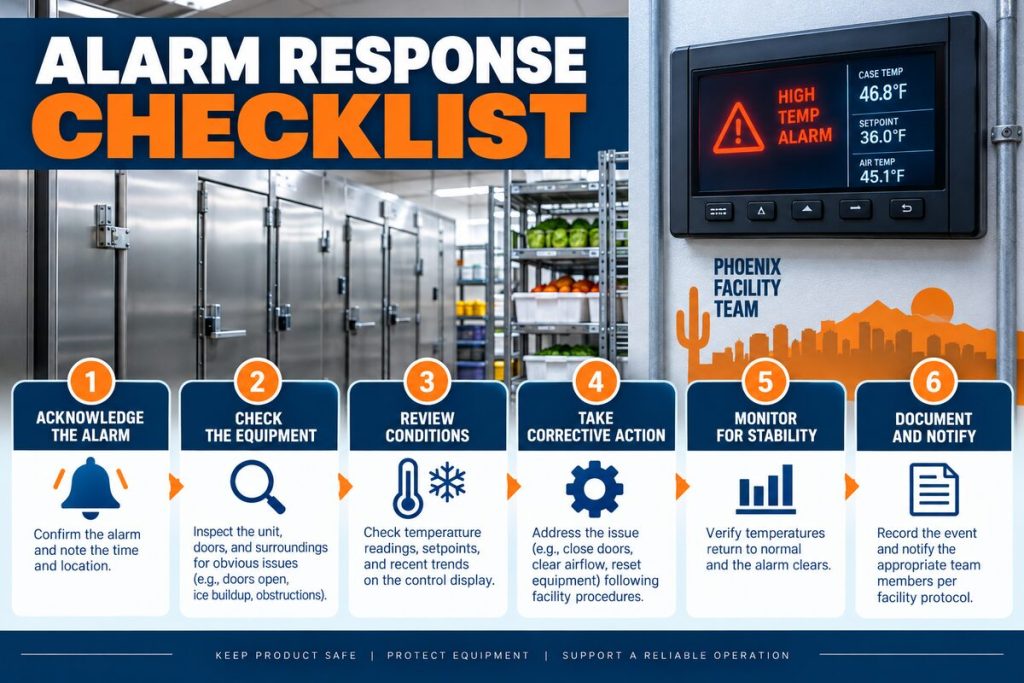
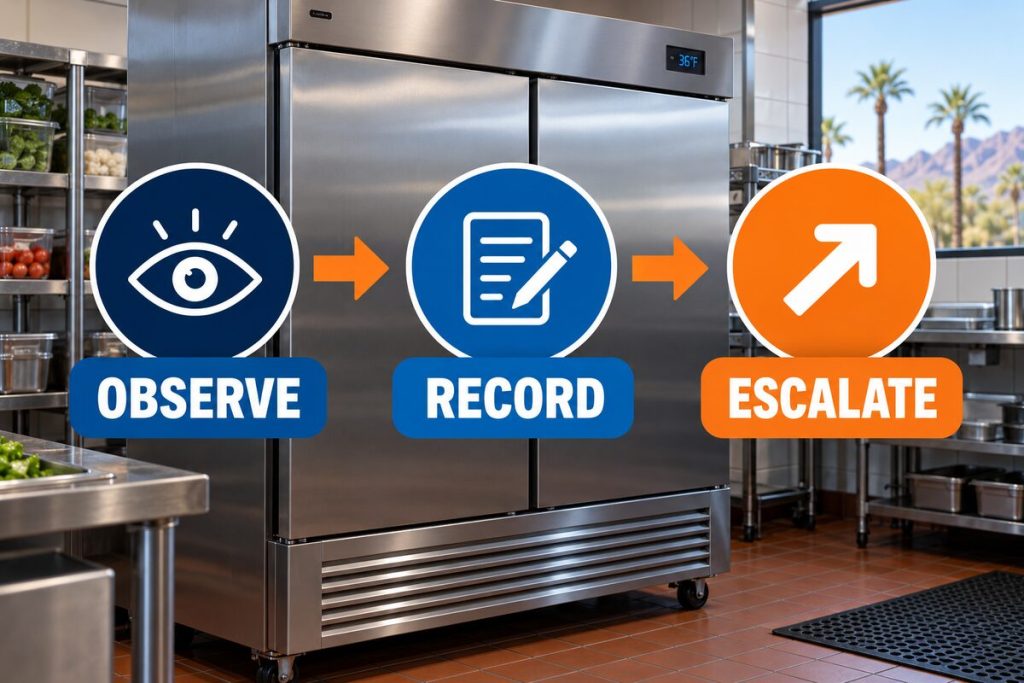
Employees can collect useful information without touching the machinery. A short, accurate record helps a technician understand the operating sequence and prepare for the visit.
- Locate the sound. Determine whether it is inside, outside, above the ceiling, or near the condensing unit.
- Record its timing. Note whether it occurs during startup, shutdown, defrost, door opening, or continuous operation.
- Check the displayed temperature. Record it without changing the setpoint or controller programming.
- Observe airflow and frost. Look from a safe position without removing covers or touching ice.
- Note recent changes. Include deliveries, heavy door traffic, cleaning, maintenance, power interruptions, or construction.
- Capture audio safely. A short recording can help, provided the employee remains away from moving and electrical components.

Do not silence the noise by striking a panel, holding a guard, or placing material against vibrating equipment. These actions can hide the symptom or create another hazard.
Information the Refrigeration Technician Needs
Clear operational notes can reduce guesswork. The technician will still perform independent testing, but the following details help identify intermittent conditions.
- The date and approximate time the noise began
- Whether it is constant, intermittent, or becoming louder
- The exact area where it is easiest to hear
- The displayed temperature and an independent product-temperature record
- Any visible frost, condensation, water, or oil residue
- Any burning, chemical, or unusual odor
- Changes in fan airflow or compressor cycling
- Recent electrical outages, service work, deliveries, or product loading
- Equipment model and serial information, when accessible without removing panels
- A safe audio or video recording of the sound
A technician may evaluate voltage, amperage, motor condition, fan clearances, electrical controls, pressures, temperatures, mounting points, and refrigerant-line behavior. These procedures require proper instruments and should not be replaced by sound-based assumptions.
If compressor operation is suspected, professional testing is important before authorizing replacement. Our related compressor repair information explains why multiple system conditions can resemble compressor trouble.
When Is a Noisy Walk-In Cooler an Emergency?
The situation becomes urgent when noise appears with evidence of an electrical hazard, mechanical impact, rapidly changing temperature, or complete loss of cooling. Inventory protection and employee safety should guide the response.
Stop and request professional service for:
- Smoke, a burning odor, or visible electrical arcing
- Grinding or repeated metal-on-metal impact
- A fan blade that appears loose or damaged
- Repeated breaker trips or unsuccessful startup attempts
- Rapidly rising cooler or product temperatures
- Oil residue, damaged tubing, or suspected refrigerant leakage
- Severe vibration affecting the equipment structure
Follow the facility’s food-safety and inventory-relocation procedures when temperatures leave the approved range. Do not assume the displayed controller temperature accurately represents every stored product.
Businesses throughout the Valley can review our Arizona service areas, including dedicated coverage information for Phoenix, Scottsdale, Mesa, and Chandler.
Schedule a Walk-In Cooler Noise Diagnosis
If your commercial cooler has developed a new or worsening sound, let our refrigeration technicians identify the source before additional components are affected.
Frequently Asked Questions
Why is my walk-in cooler suddenly buzzing loudly?
A sudden buzz may involve a fan motor, compressor starting circuit, contactor, vibrating panel, or another electrical component. Note whether the cooler starts and maintains temperature, but do not open an electrical panel to investigate.
Is a humming walk-in cooler normal?
A steady, familiar hum can be normal compressor or fan operation. A hum that becomes louder, changes pitch, continues without startup, or appears with poor cooling should be professionally evaluated.
Can ice cause a walk-in cooler fan to make noise?
Yes. Ice can obstruct airflow or contact a fan blade. However, the ice itself may result from a defrost, drainage, airflow, door, or refrigeration problem. Never remove it with a sharp tool.
What causes rattling inside a walk-in cooler?
Possible causes include a vibrating cover, fan guard, drain component, loose mounting point, or stored object touching the evaporator housing. A technician should inspect persistent equipment vibration.
Does squealing mean the fan motor is failing?
Squealing can indicate motor-bearing wear or interference around a rotating component, but testing is needed. Fan operation, blade clearance, motor condition, and airflow should all be checked.
Why does the cooler bang when it shuts off?
A shutdown bang may involve tubing movement, pressure changes, a mounting issue, or another component shifting as the system stops. Repeated or severe impact should be inspected promptly.
Should I turn off a noisy walk-in cooler?
Stop using it when there is smoke, a burning odor, visible arcing, severe impact, or another immediate hazard, provided shutdown can be completed safely. Otherwise, protect inventory and contact a technician for instructions.
Can a dirty condenser make the cooler louder?
Restricted heat rejection can make the system operate under greater stress or for longer periods. It may contribute to noticeable operational changes, but noise still requires a complete diagnosis.
Can I keep using a walk in cooler making loud noise?
Continued operation depends on the sound, temperature, and presence of safety warning signs. New grinding, banging, burning odors, electrical symptoms, or temperature loss require immediate professional guidance.
What should I record before scheduling service?
Record the sound’s location, timing, duration, temperature reading, airflow changes, frost, vibration, odor, recent service, and any safe audio or video. Do not approach exposed moving or electrical components.
Protect the Cooler Before the Noise Becomes a Failure
A walk in cooler making loud noise should be evaluated by its location, timing, operating pattern, and related temperature symptoms. Buzzing may point toward an electrical or motor condition, while rattling, squealing, and banging create different inspection priorities.
Safe documentation helps, but it does not replace electrical, mechanical, or sealed-system testing. Discount AC & Refrigeration of Phoenix can inspect the complete refrigeration system and identify the source without relying on sound alone.
Call (602) 889-1367 or use the service request page to schedule professional diagnosis in Phoenix and surrounding Valley communities.