
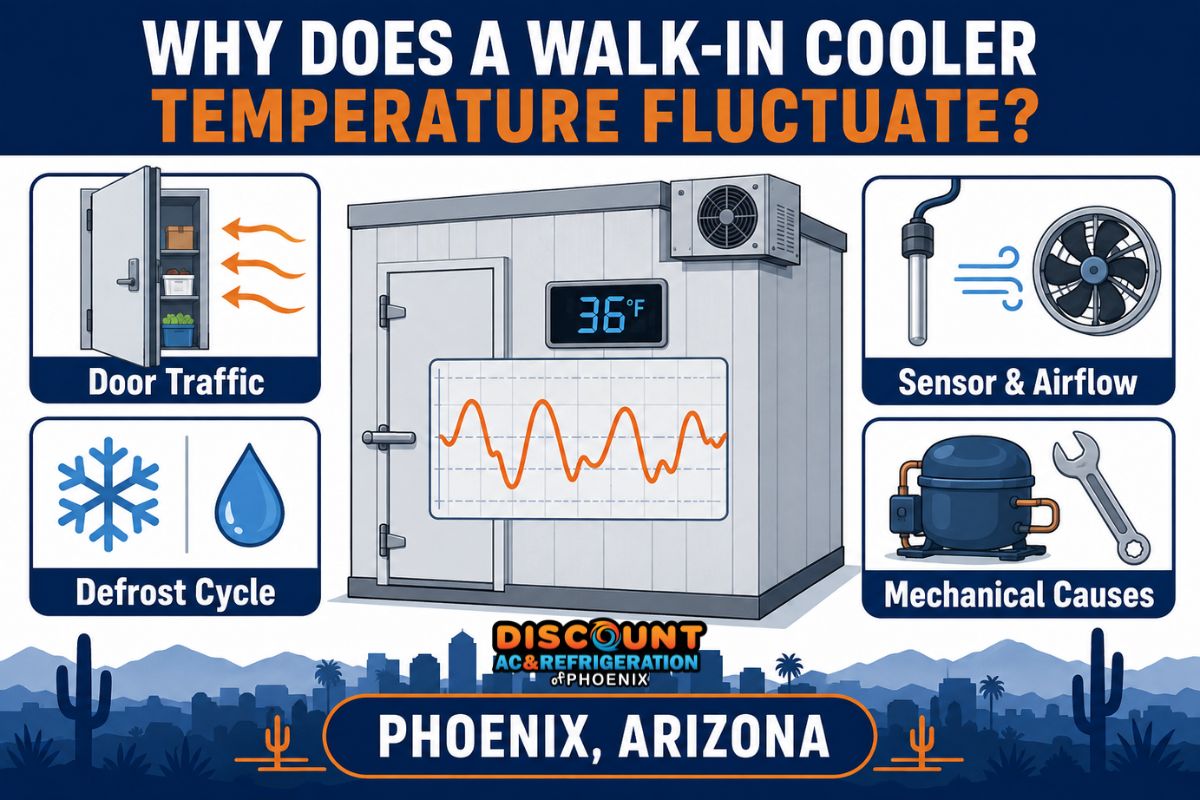
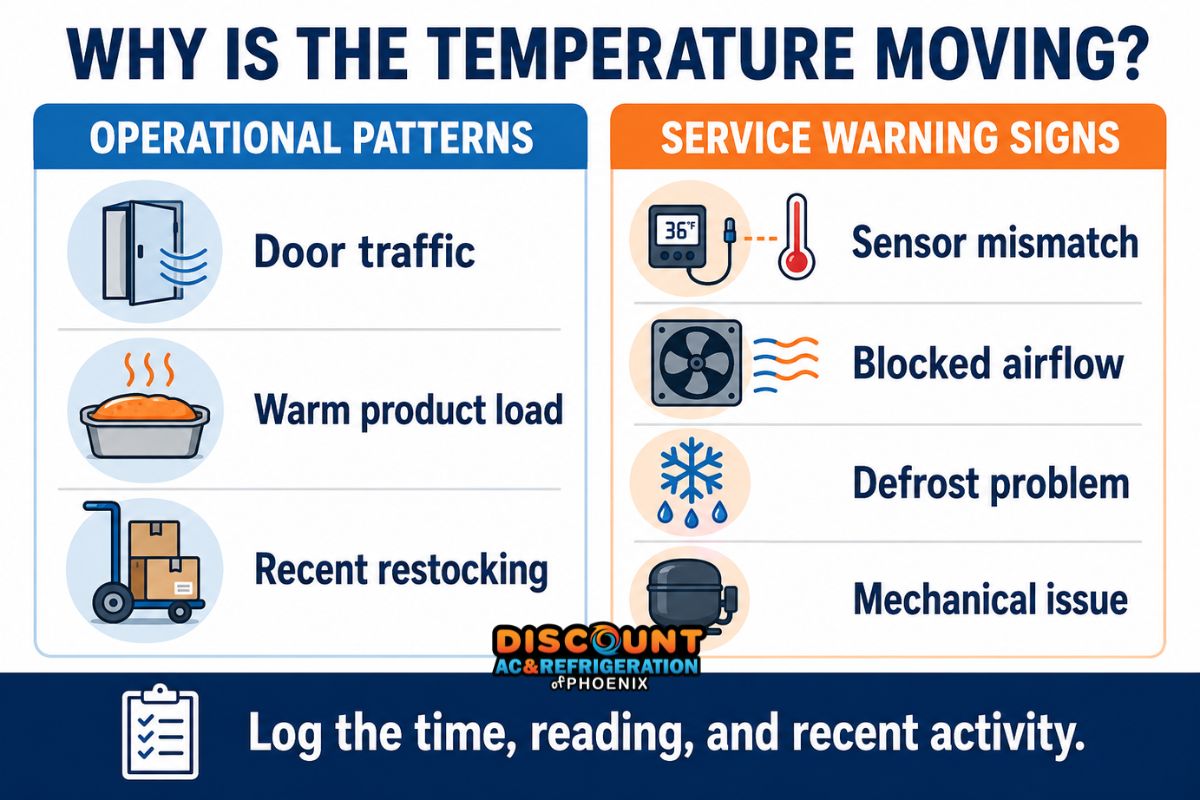
A walk in cooler temperature fluctuating throughout the day does not always mean the refrigeration system is failing. Door openings, deliveries, warm product, and employee activity can produce temporary changes. However, repeated swings with no clear operational cause may point to a sensor, airflow, defrost, electrical, or mechanical problem.
Phoenix businesses should evaluate the pattern rather than reacting to one display reading. The time of the change, recent cooler activity, product temperatures, and recovery behavior provide useful clues. This guide explains what staff can safely observe and when a licensed refrigeration technician should inspect the system.
Temperature fluctuation is different from an incorrect set point
A temperature-setting guide answers what range an operator should target. A fluctuation investigation asks why the measured temperature moves, how long it remains elevated, and whether the cooler recovers under normal operating conditions.
If you need help confirming the intended operating range first, review our separate guide to walk-in cooler temperature settings. The discussion below focuses on patterns and possible causes rather than repeating those recommendations.
Some movement is expected because a refrigeration system cycles. The thermostat or controller starts cooling after the sensed temperature rises and stops it after reaching its control target. The displayed number can also change during door openings, defrost, restocking, and normal air circulation.
The concern increases when the fluctuation becomes wider, lasts longer than the established baseline, happens without related activity, or affects product temperatures. A cooler that repeatedly fails to recover deserves professional evaluation.
Begin with the pattern, not the component
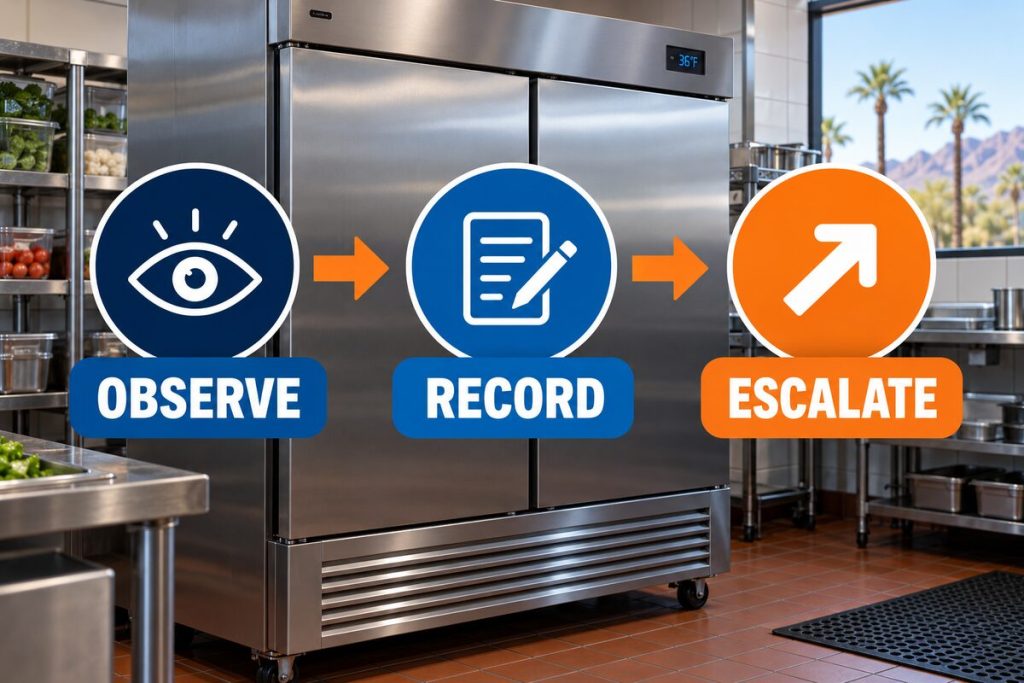
Before assuming a compressor or refrigerant problem, document what was happening around each temperature change. Operational records often reveal whether the heat entered through normal use or whether the refrigeration system lost capacity.
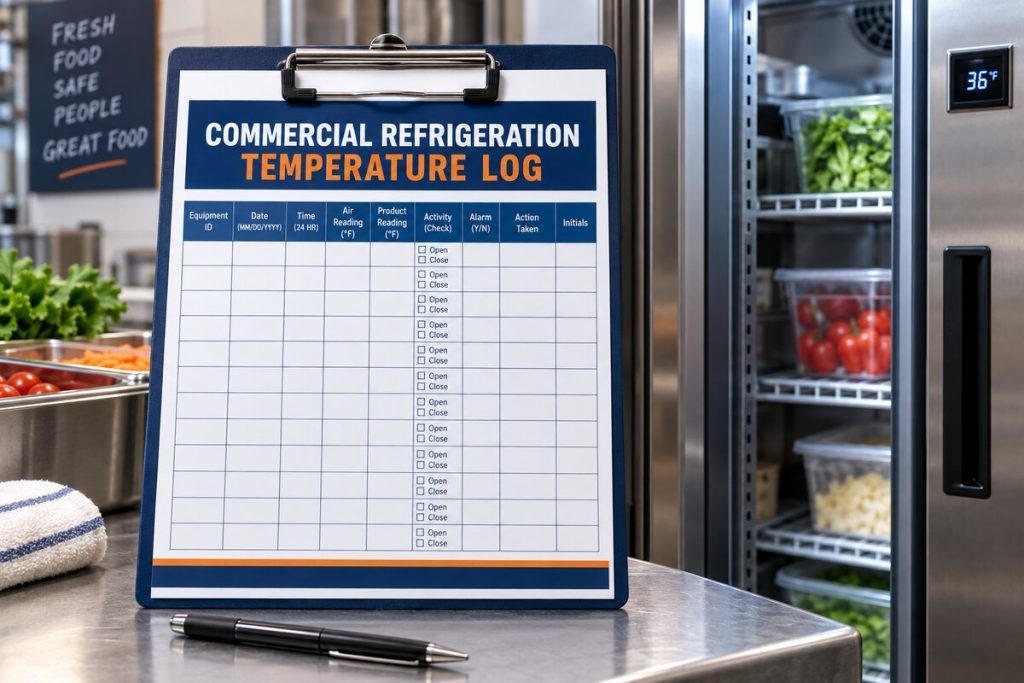
For each unusual reading, record:
- The date and exact time.
- The displayed air temperature.
- A reading from a separate calibrated thermometer, if available.
- Recent deliveries or restocking activity.
- How long the door remained open.
- Whether the evaporator fans were running.
- Visible frost, water, condensation, or unusual noise.
- The time required for the reading to return to its usual pattern.
A single number offers limited diagnostic value. A time-stamped log makes it easier to distinguish a predictable load event from declining refrigeration performance.
Operational reasons a walk-in cooler temperature may change
1. Heavy door traffic
Each door opening allows warmer kitchen, stockroom, or outdoor air to enter. During a lunch rush or delivery window, repeated openings may raise the sensed air temperature even when the equipment is operating correctly.
Phoenix conditions can make this effect more noticeable. A walk-in connected to a hot receiving area or commercial kitchen absorbs a larger heat load each time the door opens. The system must then remove both sensible heat and moisture introduced with that air.
Staff should verify that the door closes completely, the closer works correctly, and boxes are not blocking the threshold. If the temperature change consistently follows busy periods and then returns to its normal trend, door traffic may be the primary explanation.
2. Warm incoming product
A walk-in cooler designed mainly to hold refrigerated inventory may struggle when loaded with large quantities of warm food, beverages, or ingredients. The refrigeration system must remove heat from the product as well as from the surrounding air.
Recovery depends on the amount of product, its starting temperature, packaging, spacing, and available refrigeration capacity. Closely packed cases can also slow cooling because cold air cannot circulate evenly around them.
Review delivery practices before adjusting the controller. Changing a set point does not add refrigeration capacity and may hide the operational pattern without addressing the load.
3. Recent restocking or shelf rearrangement
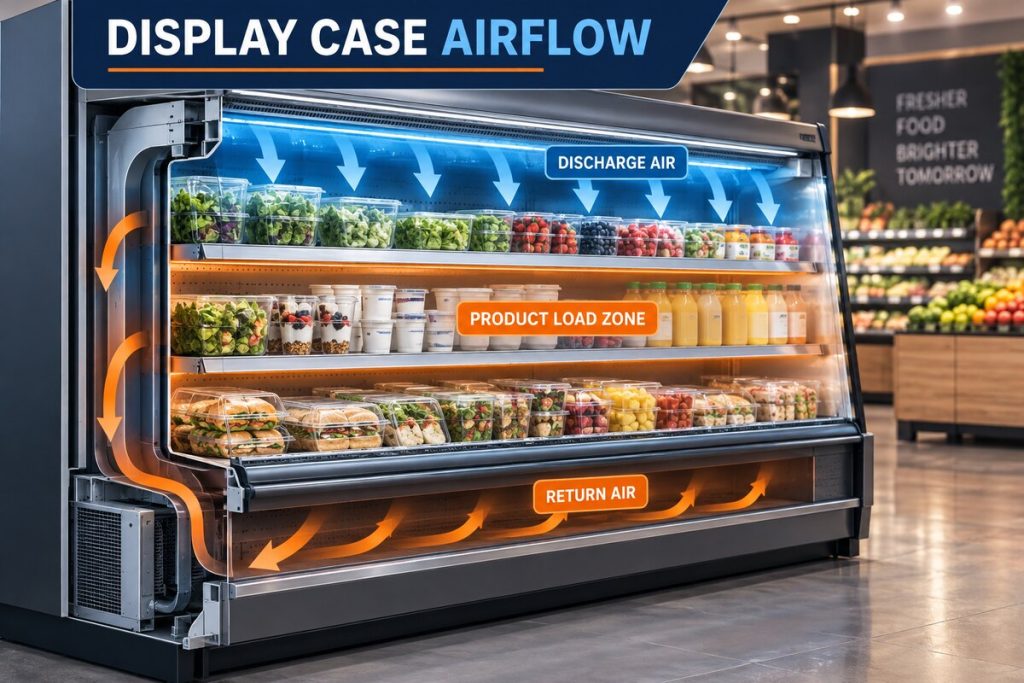
Boxes placed directly in front of an evaporator can interrupt the air path. Product stacked against walls or too close to the ceiling may also create warm pockets. The display might look acceptable while another area of the cooler remains warmer—or the opposite may occur if the sensor sits in the coldest discharge-air path.
Maintain the equipment manufacturer’s required clearance around the evaporator and avoid improvised storage that blocks supply or return airflow. For help with equipment-specific operation, review our walk-in cooler and freezer services.
4. The door was left ajar
A worn gasket, damaged hinge, misaligned latch, or obstructed doorway can prevent a complete seal. Even a narrow opening introduces a continuous heat and moisture load. Staff may notice longer run times, condensation near the doorway, or frost developing around the evaporator.
Visible moisture can offer an additional clue. Our guide to condensation in commercial refrigeration explains how air infiltration, drainage, and humidity contribute to sweating and water accumulation.
Sensor and control problems
Sensor location can distort the reading
A sensor near the evaporator discharge may register colder air than the occupied storage area. A sensor near the door, a light, or recently loaded product may report warmer conditions. Air stratification can create different readings at the top, middle, and bottom of the enclosure.
Compare the controller reading with a calibrated thermometer placed nearby. Then check representative storage zones without moving the controller probe. If the discrepancy is persistent, a technician can test sensor accuracy and determine whether its location follows the equipment design.
A loose or failing probe may create erratic changes
Temperature probes can drift out of calibration or develop intermittent wiring faults. Moisture at a connection, damaged insulation, or a loose terminal may cause sudden jumps that do not match actual cooler conditions.
A suspicious display pattern includes abrupt changes within seconds, implausible readings, or disagreement with multiple calibrated instruments. Do not bypass the control or splice sensor wiring unless you are trained and authorized to service the equipment.
Controller settings may have been changed
After maintenance, a power interruption, or an accidental adjustment, the controller may operate with an incorrect differential, sensor offset, or defrost schedule. A wide control differential can produce larger air-temperature swings even though the refrigeration components respond to the programmed values.
A licensed technician can review the controller configuration against the manufacturer’s documentation. Randomly changing settings can create short cycling, coil icing, or inadequate defrost.
Airflow problems that create uneven cooling
Blocked evaporator airflow
The evaporator needs an unobstructed path to pull warmer return air across the coil and distribute cooled air through the enclosure. Tall stacks, plastic curtains, packaging, or misplaced shelving can interfere with that path.
Staff can safely look for obvious obstructions while keeping hands away from moving fans and electrical components. If inventory placement appears normal but airflow remains weak, the fan motor, blade, control, or coil may require inspection.
Dirty or iced evaporator coil
Grease, dust, and frost act as insulation on the coil. Cooling capacity falls, air distribution weakens, and the compressor may run longer. The temperature can rise during busy periods and recover only after the load decreases.
Do not chip ice with a knife, screwdriver, or other sharp object. A punctured evaporator can release refrigerant and turn a correctable icing problem into a major repair. Businesses experiencing repeated icing should arrange professional walk-in cooler repair in Phoenix.
Evaporator fan problems
A fan may stop intermittently because of a failing motor, loose electrical connection, damaged blade, control problem, or ice obstruction. That can create temperature differences across the room while the refrigeration system continues running.
Turnover noise, scraping, vibration, or a noticeable drop in air movement should be logged. Keep the evaporator cover in place and do not reach into the fan assembly.
How defrost affects the temperature pattern
During a scheduled defrost cycle, cooling pauses so accumulated frost can clear from the evaporator. Depending on the system, fans may stop and heaters may operate. A temporary increase in sensed air temperature can occur during and immediately after the cycle.
The pattern becomes suspicious when defrost happens too frequently, lasts longer than the unit’s established behavior, fails to clear the coil, or leaves water that refreezes. A timer, termination sensor, heater, drain, controller, or fan-delay problem may be involved.
Recurring frost accompanied by longer recovery periods should not be treated as a simple thermostat problem. A technician needs to inspect the defrost sequence and identify why ice is returning.
Mechanical causes of recurring temperature fluctuations
Dirty or restricted condenser
The condenser releases heat removed from the walk-in. Phoenix dust, debris, grease, and high ambient temperatures can reduce its ability to reject that heat. The system may keep up during quiet hours but lose ground during peak kitchen activity or the hottest part of the day.
Outdoor and rooftop equipment also needs proper clearance and working condenser fans. These components should be included in a professional preventive maintenance program.
Refrigerant leak or incorrect charge
Low refrigerant charge can reduce evaporator capacity and produce uneven coil temperatures. Possible observations include long run cycles, insufficient cooling, unusual frost patterns, oil residue near a connection, or gradual performance loss.
Refrigerant does not get “used up” during normal operation. Adding charge without locating the source does not correct a leaking system. Professional refrigerant leak detection is needed to confirm the problem and determine the proper repair.
Expansion valve or refrigerant-feed problem
A restricted filter-drier, malfunctioning expansion valve, or unstable refrigerant feed can cause the evaporator to receive too little or inconsistent refrigerant. The symptoms may resemble low charge, airflow restriction, or a control problem.
Correct diagnosis requires temperature, pressure, superheat, subcooling, and electrical measurements. These tests should be performed by a qualified commercial refrigeration technician.
Compressor or electrical component deterioration
A compressor may lose capacity, overheat, or cycle off on an internal safety device. Contactors, capacitors, relays, pressure controls, and wiring can also fail intermittently. The cooler may appear to recover and then warm again when the component stops under load.
If testing confirms loss of compressor capacity or a serious internal fault, the technician can evaluate whether commercial compressor replacement is appropriate.
What Phoenix businesses can safely check
- Confirm the display: Compare it with a calibrated thermometer positioned nearby.
- Review recent activity: Note deliveries, restocking, cleaning, and heavy door traffic.
- Inspect the doorway: Look for damaged gaskets, obstructions, or a door that does not close completely.
- Check product placement: Verify that cartons are not blocking the evaporator or established air path.
- Observe the evaporator: From a safe distance, note fan operation, unusual frost, dripping water, or abnormal noise.
- Document recovery: Record whether the reading returns to its usual pattern after activity ends.
Do not remove electrical panels, bypass safety controls, force a defrost sequence, adjust refrigerant valves, or break ice from the coil. These actions can damage equipment and expose staff to electrical, mechanical, and refrigerant hazards.
When temperature movement warrants service
Schedule a professional inspection when a walk in cooler temperature fluctuating pattern occurs without deliveries or door activity, becomes more severe, or takes progressively longer to recover. Service is also warranted when multiple thermometers confirm the change or different areas of the cooler remain consistently uneven.
Arrange prompt diagnosis if you observe:
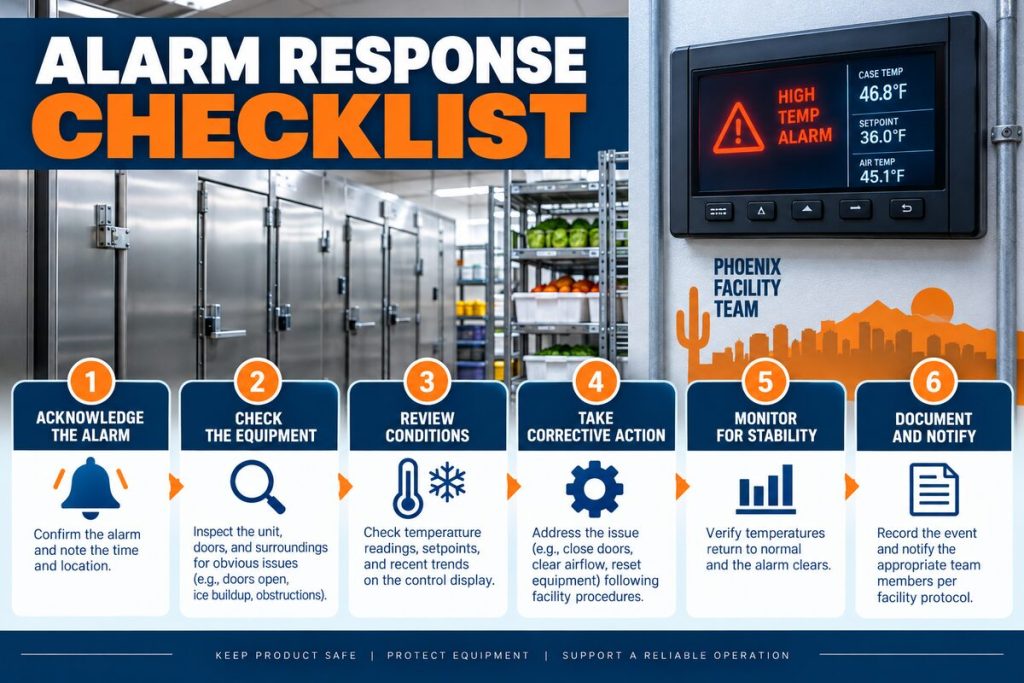
- Repeated temperature alarms.
- Product temperatures outside your approved food-safety limits.
- A cooler that runs continuously without normal recovery.
- Heavy frost returning after it has cleared.
- Water near electrical equipment.
- Fans that stop, scrape, or cycle erratically.
- Burning odors, smoke, sparking, or repeated breaker trips.
- Hissing sounds or visible oil residue near refrigerant components.
For significant temperature loss or inventory risk, use a professional emergency refrigeration service. Follow your food-safety procedure rather than waiting for the air display to return to normal.
How a technician diagnoses an inconsistent cooler
A professional diagnosis should reproduce or correlate the reported pattern rather than replace parts based on a single reading. The process may include:
- Comparing controller, probe, and calibrated instrument readings.
- Reviewing alarm and temperature history.
- Checking controller differential and defrost programming.
- Measuring airflow and inspecting evaporator fans.
- Examining the coil for dirt, ice, and uneven refrigerant distribution.
- Checking door seals, hinges, closures, and infiltration points.
- Inspecting condenser condition and outdoor operating environment.
- Testing electrical components under load.
- Measuring refrigeration-system operating conditions.
This complete approach separates a predictable operational load from a sensor error or a developing mechanical fault. Discount AC & Refrigeration of Phoenix provides commercial refrigeration service for restaurants, markets, warehouses, and other Valley businesses.
Reduce future fluctuations with a consistent operating routine
Daily operating practices can make temperature data more useful and reduce unnecessary heat loads. Assign staff to record readings at consistent times, keep delivery aisles organized, minimize door-open time, and report damaged gaskets promptly.
Temperature logs should include operational context rather than numbers alone. A reading taken immediately after restocking should be labeled accordingly. Over time, the log establishes the cooler’s normal recovery behavior and makes gradual changes easier to identify.
If your walk in cooler temperature fluctuating pattern cannot be matched to a known load or defrost event, contact Discount AC & Refrigeration of Phoenix. Our team can inspect the controls, airflow, defrost sequence, electrical system, and refrigeration circuit to identify the source. Visit our contact page or call (602) 889-1367 to schedule service.
Frequently Asked Questions
Is it normal for a walk-in cooler temperature to move during the day?
Some movement is normal because the system cycles and responds to door traffic, product loading, and defrost. Concern increases when changes are wider than the cooler’s established pattern, persist after activity stops, or affect product temperatures.
Why does my walk-in cooler warm up after a delivery?
Open doors introduce warm air, while incoming products add heat that the system must remove. Closely stacked cases can restrict airflow and extend recovery. Record the delivery time and monitor whether the cooler returns to its normal trend.
Can the display be wrong even if the cooler is working?
Yes. Probe location, calibration drift, loose wiring, moisture, or controller offsets can produce a reading that differs from actual conditions. Compare the display with a calibrated thermometer before assuming the refrigeration system has failed.
Does a defrost cycle make the walk-in cooler warmer?
A temporary air-temperature rise can occur during defrost because active cooling pauses. Service may be needed if the cycle occurs too often, lasts unusually long, fails to clear frost, or is followed by poor recovery.
Why is one side of my walk-in cooler warmer?
Blocked shelves, poor product placement, a failed evaporator fan, frost accumulation, or sensor location may create uneven temperatures. Keep the evaporator air path clear and arrange an inspection if the difference persists.
Should I lower the thermostat when the temperature rises?
Not automatically. Lowering the set point does not correct blocked airflow, a warm product load, sensor error, or lost refrigeration capacity. Document the pattern and have the controls checked before changing technical settings.
Can Phoenix heat cause walk-in cooler fluctuations?
High outdoor temperatures increase condenser load, especially when coils are dirty, airflow is restricted, or equipment is exposed to direct heat. A marginal system may maintain temperature overnight but struggle during the hottest operating hours.
When should I call for walk-in cooler service?
Call when the cooler repeatedly fails to recover, product temperatures exceed your approved limits, alarms recur, frost returns, fans stop, or the system produces burning odors, hissing, water near electrical parts, or repeated breaker trips.