

Walk in cooler thermostat problems can produce an incorrect display, unstable temperatures, unexpected cycling, or alarms that appear to point directly to the controller. However, the thermostat is not always the source of the problem. Sensor placement, calibration drift, restricted airflow, door activity, defrost behavior, and refrigeration faults can all affect what the display shows.
For Phoenix restaurants, grocery stores, commercial kitchens, and other temperature-sensitive businesses, correctly separating a display problem from an actual system fault is essential. Repeatedly changing the setpoint can hide the original pattern and make professional diagnosis more difficult.
What the Walk-In Cooler Thermostat Actually Controls
Depending on the equipment design, a walk-in cooler may use a mechanical thermostat or an electronic temperature controller. The controller receives information from one or more sensors and uses that information to call for cooling, manage alarms, or coordinate with other system controls.
The displayed number is therefore only one part of the system. A technician may need to evaluate the sensor, controller settings, wiring, airflow, defrost sequence, and refrigeration equipment before identifying the actual cause.
Businesses that need broader equipment support can review our professional walk-in cooler and freezer services in Phoenix.
Display Error or Actual Temperature Problem?
An unusual thermostat reading does not automatically mean that the stored product is at that exact temperature. The display could be reacting to the sensor’s immediate surroundings, while the rest of the cooler remains warmer or colder.
| Observed pattern | Possible display or sensor issue | Possible system condition | Useful next step |
|---|---|---|---|
| Display differs from an independent thermometer | Calibration drift, sensor placement, damaged probe, or controller configuration | Temperature stratification or uneven airflow | Record both readings at the same time and location |
| Temperature rises when the door is busy | The sensor may react rapidly to entering warm air | Heavy door traffic, a weak seal, or insufficient recovery | Log door activity and the time required for temperature recovery |
| Display remains stable but product feels warm | The sensor may be located in a colder pocket | Blocked airflow, fan trouble, or uneven product loading | Check visible obstructions without opening equipment panels |
| Reading jumps suddenly or shows an error code | Loose connection, probe damage, communication error, or control fault | A system alarm may be reporting a separate operating condition | Photograph the code and contact a refrigeration technician |
| Cooler cannot maintain temperature over time | The thermostat may be responding correctly | Airflow, defrost, door, condenser, compressor, or refrigerant-system fault | Protect inventory and schedule professional diagnosis |
Sensor Placement Can Change the Reading
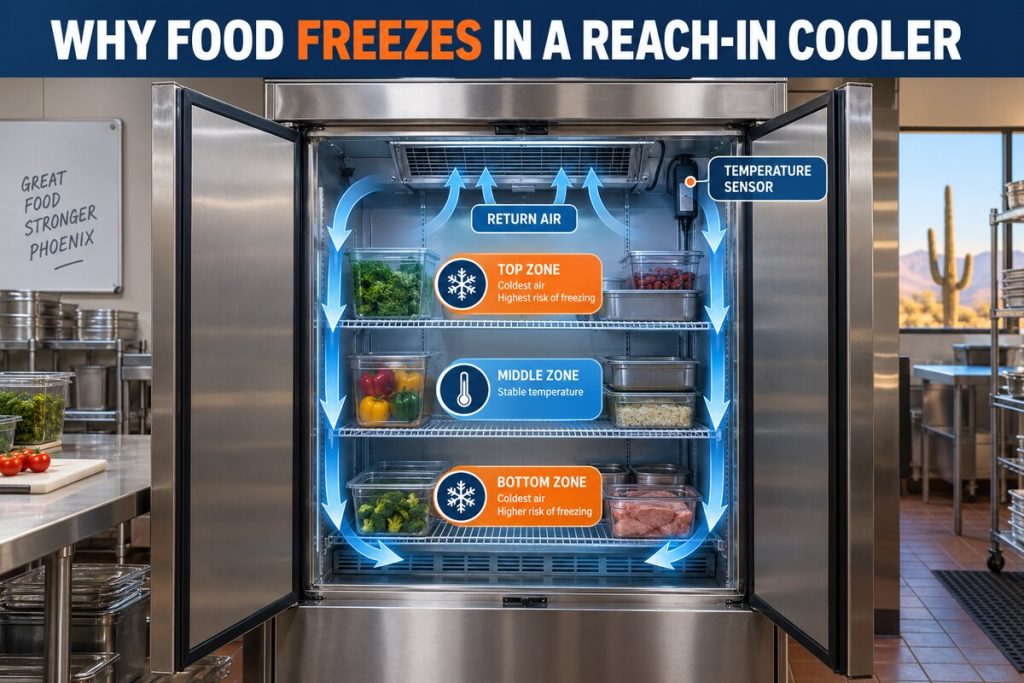
Sensor placement influences how quickly and accurately the controller responds. A probe positioned too close to the evaporator discharge can read colder than the product area. A sensor near the door may react every time warm Phoenix air enters the box.
Product stacked against the sensor can also isolate it from normal room airflow. This can make the display appear stable even while other areas experience a different temperature.
Common placement-related symptoms
- The display changes rapidly whenever the door opens.
- Product near the evaporator is noticeably colder than product near the entrance.
- The controller reaches its setpoint while an independent thermometer stays warmer.
- The cooler cycles frequently even though the average product temperature appears stable.
- Temperature readings change after shelves or product loads are rearranged.
These symptoms should be compared with the cooler’s overall airflow pattern. Our guide to a walk-in cooler evaporator fan not working explains how weak airflow can create uneven temperatures and misleading readings.
Signs of Possible Calibration Drift
Calibration drift occurs when the controller’s displayed temperature consistently differs from a verified reference measurement. The key word is consistently. One isolated comparison is not enough because door openings, defrost cycles, product loading, and sensor response time can temporarily produce different readings.
A pattern that may justify a calibration check
- The controller remains several degrees above or below a reliable reference thermometer.
- The difference appears repeatedly under similar operating conditions.
- The discrepancy remains after the cooler has had time to stabilize.
- The display does not match product-area measurements taken in multiple locations.
- The controller was recently replaced, reconfigured, or disturbed during other service.
Why the Thermostat May Be Reporting a System Fault
A thermostat can be operating correctly while reporting the consequences of another problem. If the cooler remains warm despite a reasonable setpoint, the controller may simply be documenting that the refrigeration system cannot satisfy the cooling demand.
Restricted or uneven airflow
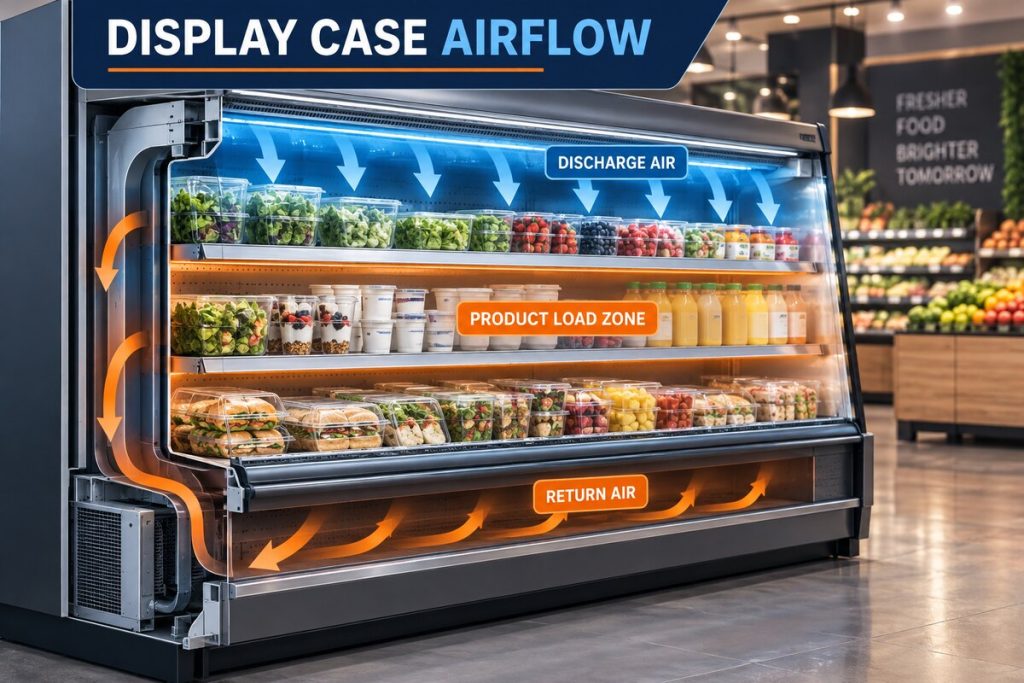
Boxes placed too close to the evaporator, overloaded shelving, frost accumulation, or a fan problem can prevent conditioned air from circulating through the cooler. The sensor may be located in a colder area than the stored product, or it may receive warm return air that does not represent the entire box.
Door infiltration
A door that does not close properly introduces warm, humid air. This can raise the sensor reading, increase equipment runtime, and contribute to condensation or frost. Review the signs discussed in our walk-in cooler door gasket replacement guide .
Dirty condenser conditions
Phoenix heat and airborne dust make heat rejection especially important. A restricted condenser can reduce system capacity even when the thermostat and sensor are working normally. Learn more about walk-in cooler condenser coil cleaning and the difference between staff-safe housekeeping and professional cleaning.
Defrost or frost-related problems
Frost on the evaporator can restrict airflow and create unstable temperature readings. Depending on the system, the source may involve door infiltration, drainage, airflow, controls, or the defrost sequence. Frost should never be removed with knives, screwdrivers, or other sharp tools.
Mechanical or refrigeration faults
A failing component can prevent the system from reaching the controller’s setpoint. Compressor symptoms require a complete diagnostic sequence rather than an assumption based on the thermostat display. See our guide to walk-in cooler compressor problems for a clearer explanation.

Why Repeated Setpoint Changes Create Confusion
Lowering the setpoint does not add cooling capacity. If airflow is restricted, a door is leaking, the evaporator is frosted, or the refrigeration system has a fault, changing the target temperature does not correct the underlying condition.
Frequent adjustments also remove a useful diagnostic reference. A technician needs to know the intended setpoint, the displayed temperature, the independent temperature, and how those values changed over time. If the setpoint was repeatedly moved, it becomes harder to determine whether the controller responded normally.
For additional context about appropriate operating ranges, review our guide to walk-in cooler temperature settings .
Build a Useful Temperature Log
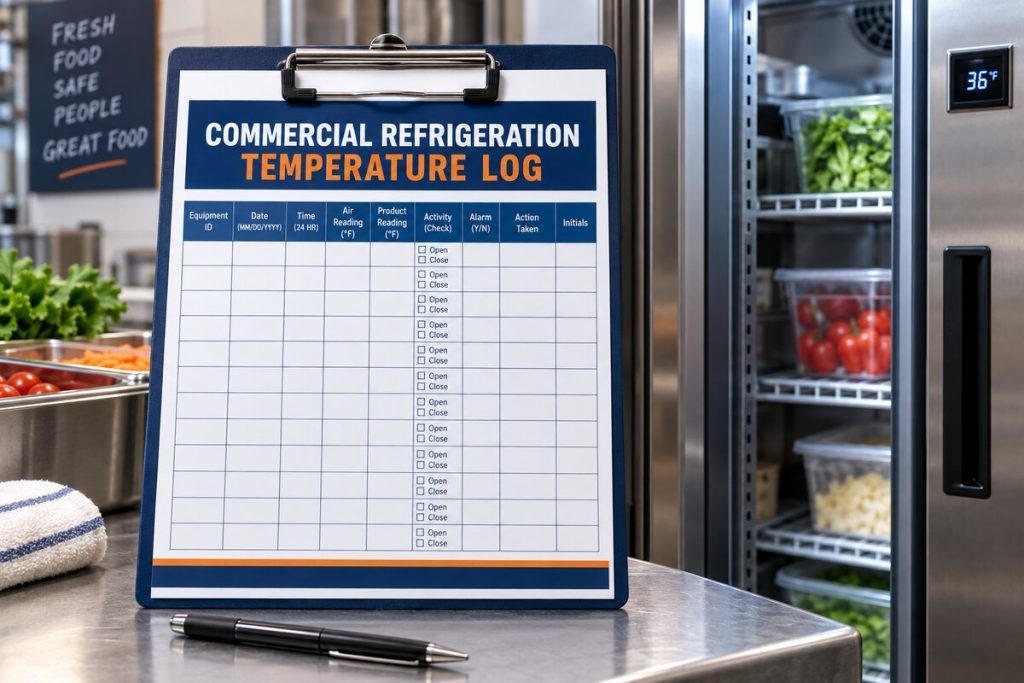
A simple temperature log can help separate a brief operating event from a recurring fault. It also gives the refrigeration technician better information before testing the controller and system.
What staff should record
- Date and exact time of each observation.
- Thermostat or controller display reading.
- Independent thermometer reading and its location.
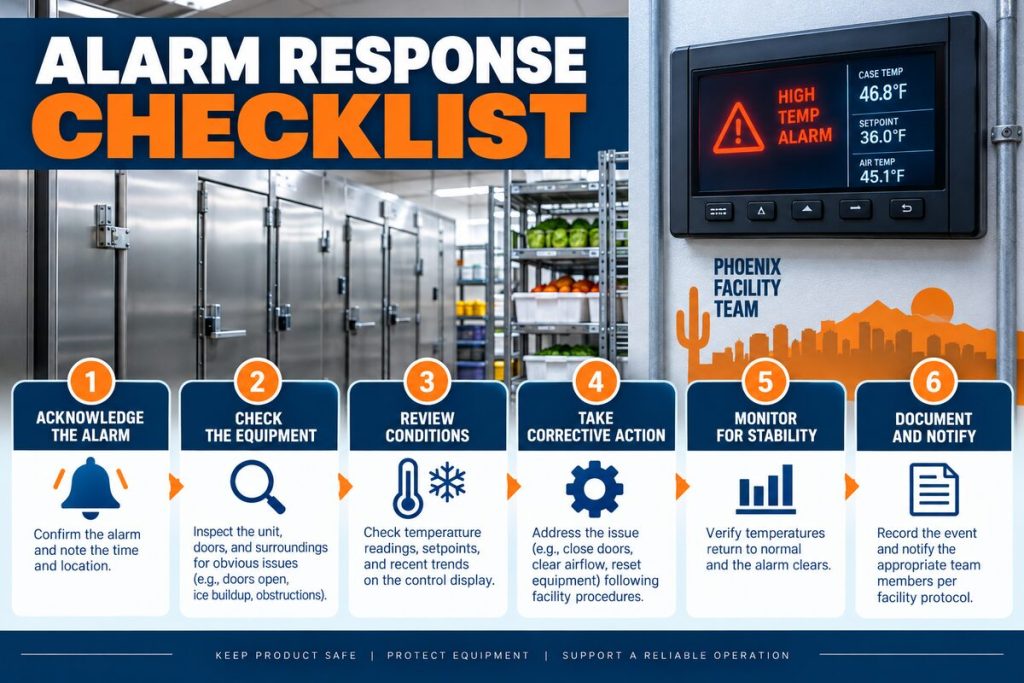
- Any displayed alarm or error code.
- Recent deliveries or major product loading.
- Approximate door traffic during the observation period.
- Visible frost, condensation, unusual noise, or weak airflow.
- Whether the temperature recovered and how long recovery took.
Temperature movement associated with deliveries or door traffic may be different from an unexplained recurring fluctuation. Our article about walk-in cooler temperature fluctuations in Phoenix covers this distinction in greater detail.
What Staff Can Check Safely
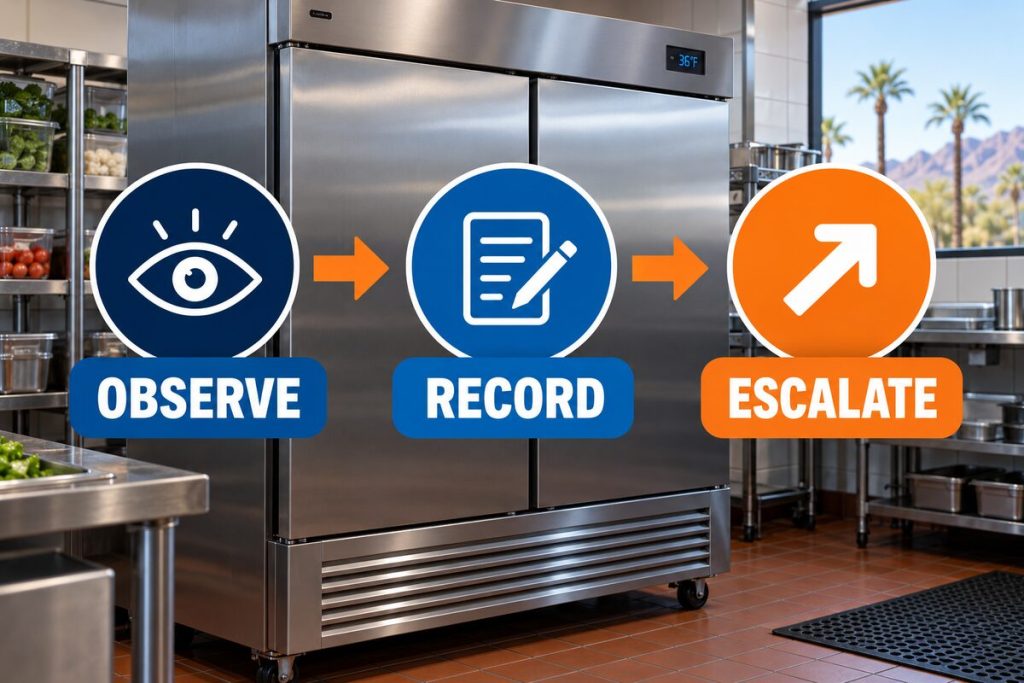
Employees can document observable conditions without dismantling equipment or attempting technical repairs.
- Confirm that the cooler door closes completely.
- Keep stored items away from visible evaporator air paths.
- Compare the display with a suitable independent thermometer.
- Photograph error codes before they disappear.
- Note frost, condensation, noises, and temperature patterns.
- Follow the business’s inventory and food-safety procedures.
When Professional Diagnosis Is Needed
Schedule professional service when the display repeatedly disagrees with verified measurements, error codes return, temperature does not recover, product areas remain uneven, or the cooler cannot maintain its required range.
A refrigeration technician can compare sensor resistance or output with actual temperature, inspect placement, verify controller programming, evaluate airflow, review defrost operation, and test the refrigeration system. This diagnostic sequence avoids replacing a thermostat when the actual problem is elsewhere.
For broader warning signs and service considerations, visit our walk-in cooler repair guide or learn more about our complete commercial refrigeration services .
A Clear Diagnosis Starts With the Operating Pattern
Walk-in cooler thermostat problems cannot be confirmed from one display reading alone. The same symptom may come from sensor placement, calibration drift, controller configuration, airflow, door infiltration, defrost behavior, or a mechanical system fault.
Avoid repeatedly changing the setpoint. Instead, preserve the original settings, verify readings with an independent thermometer, document operating conditions, and arrange qualified diagnosis when the pattern continues. Phoenix businesses can also explore additional refrigeration guidance in our HVAC and refrigeration blog.
Frequently Asked Questions
How do I know whether my walk-in cooler thermostat is inaccurate?
Compare the displayed reading with a suitable independent thermometer under stable operating conditions. A recurring difference may indicate sensor placement, calibration, probe, or controller concerns, but uneven airflow must also be considered.
Can a bad thermostat make a walk-in cooler run too warm?
Yes, a failed sensor or controller can affect system operation. However, warm temperatures can also result from airflow restrictions, door infiltration, frost, condenser conditions, defrost problems, or refrigeration-system faults.
Why does the display temperature change when the door opens?
Warm air entering through the doorway can reach the sensor quickly, especially when the probe is near the entrance. Record how long the temperature takes to return to its normal range after the door closes.
Why is the thermostat reading colder than the product area?
The sensor may be near the evaporator discharge or in another cold pocket. Restricted circulation can also allow one area to satisfy the controller while stored product elsewhere remains warmer.
Should I lower the setpoint if the cooler is too warm?
Repeatedly lowering the setpoint can obscure the original operating pattern and does not correct lost cooling capacity. Preserve the approved setting, document the readings, and request service if the cooler does not recover.
What causes a walk-in cooler thermostat error code?
Error codes vary by controller and may indicate probe faults, communication problems, configuration issues, or specific system alarms. Photograph the complete code and avoid resetting or opening the controller before service.
Can blocked airflow affect the thermostat reading?
Yes. Product placed in the airflow path, frost accumulation, or fan trouble can create warmer and colder zones. The sensor may then report a temperature that does not represent the entire cooler.
How often should walk-in cooler temperatures be logged?
Follow the monitoring schedule required by your business and applicable food-safety procedures. When investigating a problem, additional readings at consistent intervals can reveal recovery times and recurring patterns.
Can Phoenix heat cause thermostat problems?
Outdoor heat does not automatically damage the thermostat, but it increases the cooling load and makes condenser airflow especially important. Heavy door traffic can also introduce hot, humid air that affects temperature recovery.
When should I call a commercial refrigeration technician?
Call when temperature readings remain outside the required range, verified measurements repeatedly disagree with the display, error codes return, frost restricts airflow, or the cooler cannot recover after normal operating events.
Need Walk-In Cooler Diagnosis in Phoenix?
Discount AC & Refrigeration of Phoenix can evaluate the controller, sensor placement, airflow, defrost operation, and refrigeration system to determine whether the display is inaccurate or the cooler has a broader system fault.
Call (602) 889-1367You can also request commercial refrigeration service online. We serve Phoenix Metro businesses from 10211 N 32nd St # E1, Phoenix, AZ 85028.